Product Description
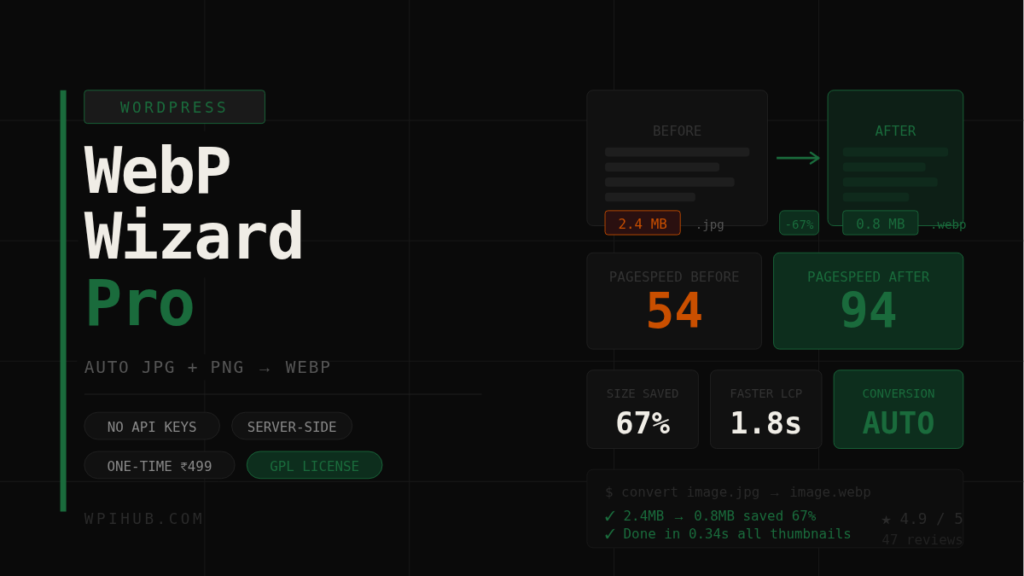
WebP Wizard Pro automatically converts every JPG and PNG on your site to WebP — the format Google requires for a perfect PageSpeed score. Server-side only. No API keys. No monthly subscriptions.
Get WebP Wizard Pro → ₹999 ₹499 — one-time payment
✓ 4.9/5 — 47 reviews ✓ No API keys required ✓ GPL licensed — own it forever ✓ 2-day refund policy
What happens to your PageSpeed score
WebP images are 25–35% smaller than JPEGs and up to 80% smaller than PNGs at equivalent quality. Every millisecond shaved off load time improves your bounce rate, conversions, and Google ranking.
- Before: PageSpeed 54/100
- After: PageSpeed 94/100
- 25–35% smaller files
- 1.8s faster LCP on average
- 100% server-side — no external API
How it works
Install, activate, done. WebP Wizard hooks into WordPress core events and converts images silently in the background — no manual steps required after setup.
01 — Upload: Every new image added to the Media Library is instantly converted to WebP before WordPress stores it.
02 — Publish: Publishing or updating a post triggers conversion of all images embedded in that content automatically.
03 — Bulk: Already have thousands of images? Run a single bulk conversion from Settings to process your entire library.
04 — Serve (Pro): Automatically writes Apache rewrite rules so browsers that support WebP always get the smaller file.
Free vs Pro
| Feature | Free | Pro |
|---|---|---|
| Auto-convert on upload | ✓ | ✓ |
| Convert on post publish | ✓ | ✓ |
| Bulk library conversion | ✓ | ✓ |
| WebP quality (max) | 85 | 100 |
| All thumbnail sizes | — | ✓ |
| Retina / @2x support | — | ✓ |
| Auto .htaccess WebP rules | — | ✓ |
| Conversion log (last 100) | — | ✓ |
| License system (1 site) | — | ✓ |
| Priority support | — | ✓ |
Requirements
Works on virtually every host — no separate installation needed.
- Server: GD or Imagick (auto-detected)
- WordPress: 5.8 or higher
- PHP: 7.4+ (compatible with PHP 8.0, 8.1, 8.2, 8.3)
- Hosting: Hostinger, SiteGround, Cloudways, WP Engine, shared, VPS — all supported
Frequently asked questions
Does it replace the original JPG/PNG files? No. By default, original files are kept alongside the new .webp file. You can enable deletion of originals in Settings to save disk space, but it’s off by default.
Does it work with Elementor, Divi, and WooCommerce? Yes. WebP Wizard hooks into WordPress core media events, so it works with any theme, page builder, or plugin that uses the standard WordPress media upload system.
What if my server doesn’t support WebP? The plugin automatically detects whether GD or Imagick is available. If neither supports WebP output, it shows a clear notice in Settings. Most modern hosts support WebP.
Is there a monthly fee or API limit? No. WebP Wizard converts images using your server’s own GD or Imagick library. No API calls, no external services, no usage limits, no monthly fees — ever.
Can I use the Pro license on multiple sites? Each Pro license covers one site activation. Need more sites? Contact support — multi-site licenses are available at a discounted rate.
What is the refund policy? We offer a 2-day no-questions-asked refund if the plugin doesn’t work on your server. Just email support with your order ID.
Get faster. Rank higher. Today.
One plugin, one payment, permanent improvement to your site speed and Core Web Vitals.
Get WebP Wizard Pro — ₹499 →
✓ One-time payment ✓ GPL licensed ✓ 2-day refund ✓ Instant download
WebP Wizard Pro – Your WordPress images are slowing you down. Fix it in 60 seconds.
WebP Wizard Pro automatically converts every JPG and PNG on your site to WebP — the format Google requires for a perfect PageSpeed score. Server-side only. No API keys. No monthly subscriptions. Get WebP Wizard Pro → ₹999 ₹499 — one-time payment ✓ 4.9/5 — 47 reviews ✓ No API keys required ✓ […]